

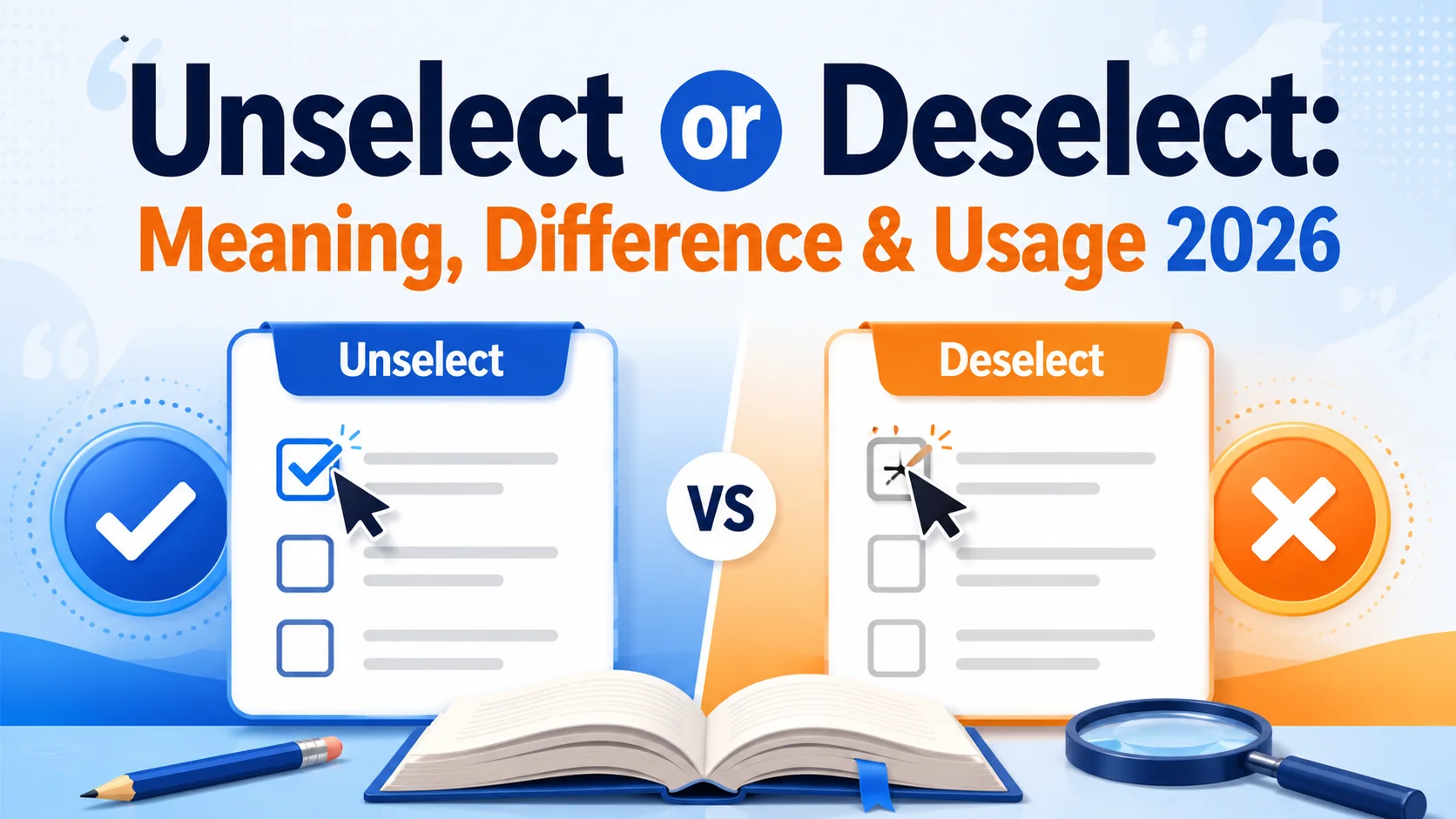
Unselect or deselect is a common wording question, especially when you’re writing about checkboxes, buttons, menus, files, forms, or software interfaces. Both words can describe removing a selection, but they don’t have exactly the same status or level of acceptance in modern English.
If you’re unsure which word belongs in a sentence, deselect is generally the safer and more established choice, particularly in formal writing, technical documentation, UX writing, and professional communication. Unselect is also understandable and appears in real-world technical and everyday usage, but it is less standard in many contexts.
The distinction becomes easier once you look at what the words actually describe. If you selected several files and then remove one from the selection, you would normally say, “Deselect the file.” If you’re writing instructions for users, that wording is clear, concise, and widely understood. However, context, house style, and the conventions of a particular software product can influence the preferred term.
This guide explains deselect vs. unselect, including their meanings, grammatical behavior, technical usage, sentence examples, differences in tone and formality, and the situations where one choice is better than the other. You’ll also learn why deselect is usually the recommended option and when unselect may still be acceptable.
Quick Answer: Should You Use “Unselect” or “Deselect”?
For most situations, deselect is the better choice.
Deselect means to remove something from a group of selected items. It is especially common when discussing software, checkboxes, menus, files, forms, options, and user interfaces.
Unselect can convey the same basic idea, and people do use it, particularly in technical or informal contexts. However, it is generally less established and may sound less natural to readers who expect standard technical terminology.
| Word | Basic meaning | Typical use | Formality | Recommended? |
| Deselect | Remove something from a selection | Software, forms, interfaces, instructions | Standard/professional | Yes |
| Unselect | Remove something from a selection | Technical or informal usage | Less standard | Sometimes |
| Clear | Remove a selection or entered value | Forms and interfaces | Neutral | Depends on context |
| Uncheck | Remove a check mark | Checkboxes | Neutral and precise | Yes, when applicable |
| Remove from selection | Take an item out of a selected group | Documentation | Very clear | Yes |
Best practical rule: If you’re choosing a word for professional writing or user instructions and you have no reason to follow a product-specific style, choose deselect.
What Does “Deselect” Mean?
Deselect is a verb meaning to remove something from a selection after it has been selected.
The word is especially useful when several things can be selected at once.
For example:
- Deselect the files you don’t want to upload.
- Click the checkbox again to deselect the option.
- You can deselect an item by clicking it once more.
- Deselect all unnecessary layers before exporting the image.
- The user accidentally deselected the correct answer.
The important idea is that there was a selection, and the action reverses or removes that selection.
Deselect is particularly common in technology
You’ll frequently encounter deselect in:
- Graphic design software
- Photo-editing programs
- File managers
- Online forms
- Checkboxes
- Search filters
- Dropdown controls
- Spreadsheets
- Database interfaces
- Web applications
- Mobile applications
- Configuration screens
For example, imagine a photo-editing program in which you select part of an image. Once you finish editing that area, you might choose Deselect to remove the active selection.
Here, deselect describes a very specific interface action.
What Does “Unselect” Mean?
Unselect generally means to stop something from being selected or to remove it from a selection.
That makes its basic meaning very close to deselect.
For example:
- Unselect the files you don’t need.
- Click the option again to unselect it.
- You can unselect an item before submitting the form.
A reader will usually understand what you mean.
The issue isn’t that unselect is impossible to understand. The more important question is whether it is the best and most conventional word for your context.
In many professional and technical situations, deselect is preferred because it is more established as the conventional term for reversing a selection.
Why does “unselect” exist?
English frequently creates verbs by adding prefixes such as un- and de-.
For example:
- lock → unlock
- tie → untie
- pack → unpack
- activate → deactivate
- code → decode
- select → deselect
Because un- commonly expresses reversal, unselect is easy to understand logically.
However, English doesn’t always choose the most logically predictable word. Established usage matters. A word can be understandable without being the preferred term in a particular professional context.
Unselect vs Deselect: The Core Difference
The biggest difference is usage and conventionality rather than basic meaning.
Both words can describe reversing a selection, but deselect is the more established choice in standard technical and professional usage.
Consider these two instructions:
Click the button to deselect the option.
Click the button to unselect the option.
The second sentence is understandable, but the first sounds more natural to many readers because deselect has become closely associated with selection controls and interface behavior.
The practical distinction
Think of the difference this way:
Deselect = the conventional technical term for reversing a selection.
Unselect = an understandable alternative that is used by some speakers and writers but is generally less preferred.
This doesn’t mean every use of unselect is wrong. Language is shaped by actual usage, and you may encounter the word in software documentation, applications, workplace instructions, and user discussions.
The question is usually not “Can I use unselect?” but rather “Is unselect the best choice here?”
In most professional contexts, the answer is deselect.
Deselect vs Unselect: Comparison Table
| Feature | Deselect | Unselect |
| Meaning | Remove something from a selection | Remove something from a selection |
| Grammatical role | Verb | Verb |
| Common in software | Very common | Used, but less consistently |
| Common in UX writing | Preferred | Usually avoided |
| Formal writing | Strong choice | Less conventional |
| Technical documentation | Recommended | Context-dependent |
| Easy to understand | Yes | Yes |
| Standard terminology | More established | Less established |
| Best default choice | Yes | No |
The distinction is therefore mostly about standard usage, clarity, and professional convention, rather than two completely different meanings.
Why “Deselect” Is Usually the Better Choice
There are several reasons professional writers tend to favor deselect.
1. It is strongly associated with selection controls
When readers see deselect, they immediately understand that something has already been selected and that the selection is being removed.
That makes the word highly efficient in technical instructions.
For example:
Deselect “Send me promotional emails” if you don’t want to receive marketing messages.
The instruction is immediately clear.
2. It fits established interface terminology
Software interfaces commonly use terms such as:
- select
- deselect
- activate
- deactivate
- enable
- disable
- check
- uncheck
These pairs create predictable instructions.
When users learn that select means choosing an item, deselect naturally becomes the opposite action.
3. It sounds more professional
Compare:
- Deselect the option before continuing.
- Unselect the option before continuing.
Both are understandable, but the first tends to sound more polished in documentation.
This matters when you’re writing:
- Help articles
- Product documentation
- User manuals
- UX copy
- Training materials
- Software instructions
- Technical specifications
4. It reduces uncertainty
A professional interface should not make users wonder whether an unusual word means something different.
Deselect has a clear and established relationship with select.
That predictability is useful in instructional writing.
When Is “Unselect” Acceptable?
Although deselect is the safer choice, you shouldn’t automatically treat every occurrence of unselect as an error.
There are contexts in which unselect can be understood and may be used intentionally.
Existing product terminology
Suppose a software application consistently uses Select and Unselect throughout its interface.
If you’re documenting that product, changing every instance to deselect could create inconsistency.
For example:
To remove an item, click Unselect.
If Unselect is the actual name of the button, reproducing the interface terminology may be more useful than imposing a different term.
Internal or informal communication
In casual technical conversations, you may hear:
Just unselect those files.
People generally understand the instruction.
For an informal message between colleagues, that may not cause any communication problem.
When the audience already uses the term
Language is partly shaped by community convention. A specialized group may use unselect regularly.
If changing the term would make your documentation conflict with established terminology, consistency can matter more than theoretical preference.
When Should You Use “Deselect”?
Use deselect when you want the most broadly accepted and professional wording.
It is particularly appropriate when:
- Writing software documentation
- Creating UX instructions
- Writing help-center content
- Explaining interface actions
- Describing file selection
- Writing formal technical material
- Creating educational material
- Giving instructions to a broad audience
Examples
Checkbox
Deselect the checkbox if you don’t want to receive notifications.
Files
Select the files you want to upload, then deselect any files you added by mistake.
Search filters
Deselect the filters you no longer want to apply.
Image editing
Deselect the area before applying the next adjustment.
Multiple-choice interface
Select all applicable answers and deselect any answer that doesn’t apply.
In each case, deselect clearly communicates the reversal of a previous selection.
When Should You Use “Unselect”?
Use unselect cautiously rather than automatically treating it as the preferred alternative to deselect.
It may be appropriate when:
- The product itself uses Unselect as an interface label.
- You’re describing existing terminology rather than creating new terminology.
- You’re writing an informal message where precision and formality are less important.
- Your organization has an established style guide that specifically uses unselect.
For example:
In this application, click Unselect All to remove the current selections.
If Unselect All is the actual command in the application, retaining the product’s wording makes sense.
However, if you’re writing a new instruction from scratch, Deselect All is usually the safer choice.
Deselect and Unselect in User Interfaces
The distinction becomes especially important in UX writing.
A user interface should use language that is predictable, concise, and easy to understand.
Imagine a file-selection window with several selected documents.
Possible commands include:
- Select
- Deselect
- Select All
- Deselect All
- Clear Selection
All can potentially communicate the intended action, but each has a slightly different emphasis.
“Deselect”
This is ideal when the action specifically reverses a selection.
Deselect All
means that the items currently selected should no longer be selected.
“Clear Selection”
This is also useful, particularly when an interface treats the entire group of selected items as one state.
Clear Selection
emphasizes removing the current selection rather than reversing one particular item.
“Uncheck”
Use uncheck when the control is specifically a checkbox.
Uncheck the box to disable notifications.
You generally shouldn’t replace uncheck with deselect simply because both actions remove a chosen state.
That distinction is important for precise technical writing.
Deselect vs Uncheck vs Clear: They Aren’t Always the Same
One common mistake is treating all selection-related verbs as interchangeable.
They aren’t.
| Term | What it normally describes | Example |
| Select | Choose an item or option | Select the file |
| Deselect | Remove an item from a selection | Deselect the file |
| Check | Mark a checkbox | Check the box |
| Uncheck | Remove a check mark | Uncheck the box |
| Clear | Remove a value, selection, or state | Clear the selection |
| Cancel | Stop an operation | Cancel the upload |
| Disable | Turn off a feature or control | Disable notifications |
The best word depends on what state is actually changing.
- If you have selected a photo in a gallery, deselect is appropriate.
- If you have checked a checkbox, uncheck may be more precise.
- If you are removing all selected items from a selection state, clear selection may be appropriate depending on the interface.
Is “Unselect” Grammatically Correct?
Unselect is understandable as a verb and is used in English, but its acceptability and frequency can vary by context and style.
That distinction is important.
Calling it simply “wrong” would oversimplify actual English usage. On the other hand, saying that unselect and deselect are equally preferred everywhere would also be misleading.
For general-purpose professional writing, deselect is the stronger default.
Grammatical examples
Both can function as verbs:
Please deselect the option.
Please unselect the option.
They can also appear in different grammatical forms:
Deselecting
Deselecting the option will remove it from your preferences.
Deselected
The previously selected item is now deselected.
The same kinds of forms can be created with unselect, although they may sound less natural depending on the sentence.
Common Sentence Patterns With “Deselect”
Here are useful patterns you can adapt.
Deselect + noun
- Deselect the incorrect answers.
Adjective phrase + deselect
- Deselect any unnecessary options.
Deselect + object
- Deselect the files you don’t want to upload.
Deselecting + noun
Deselecting this option will hide advanced settings.
Be + deselected
Make sure the checkbox is deselected before submitting the form.
These structures are especially common in technical and instructional writing.
Common Sentence Patterns With “Unselect”
You may encounter:
Unselect the option.
Unselect any files you don’t need.
Click the button to unselect all items.
You can unselect the answer by clicking it again.
These sentences are comprehensible, but in newly written professional documentation, deselect would generally be the more conventional choice.
Common Mistakes With Unselect and Deselect
Mistake 1: Assuming “unselect” is always incorrect
This is too absolute.
Unselect exists in actual usage and can be understood. The better advice is that it is less conventional than deselect in many professional contexts.
Don’t confuse “less preferred” with “meaningless.”
Mistake 2: Assuming both words are equally preferred
The opposite mistake is also common.
Because the words have similar meanings, writers sometimes assume there is no reason to choose one over the other.
For professional writing, there is a reason: deselect is the more established conventional term.
Mistake 3: Using “deselect” when “uncheck” is more precise
Consider:
Deselect the checkbox.
This isn’t necessarily incomprehensible, but:
Uncheck the checkbox.
is often more direct when the control is specifically a checkbox.
Technical writing improves when you name the exact action the user needs to perform.
Mistake 4: Confusing deselection with disabling
These are different concepts.
Deselect means removing something from a selection.
Disable means preventing a feature, control, or function from being active or usable.
For example:
Deselect the email option.
means remove the option from the current selection.
But:
Disable email notifications.
means turn off the notification feature.
They shouldn’t be treated as synonyms.
Deselect vs Unselect in Formal Writing
If you’re writing an academic paper, professional guide, technical manual, or business document, deselect is normally the better choice.
Formal writing benefits from terminology that readers are likely to recognize immediately.
For example:
Users can select multiple records and deselect individual records before submitting the form.
This sounds precise and professional.
Compare:
Users can select multiple records and unselect individual records before submitting the form.
The second sentence is understandable, but it may sound less polished.
A useful professional principle
When two words communicate the same idea, prefer the established term that your audience is most likely to recognize immediately.
That principle is more useful than memorizing a simple “right versus wrong” rule.
Deselect vs Unselect in Technical Documentation
Technical writers need to think about more than grammar.
Documentation should be:
- Consistent
- Precise
- Easy to scan
- Compatible with the product interface
- Appropriate for the target audience
Suppose the interface contains a button labeled Deselect All.
Your documentation should probably say:
Click Deselect All to remove all current selections.
Don’t rewrite the interface label as:
Click Unselect All.
That introduces unnecessary inconsistency.
What if the software says “Unselect”?
Then document what the software actually says.
For example:
Click Unselect All to remove all selected items.
The goal of documentation is to help users operate the product, not to win a vocabulary argument.
A Practical Decision Guide
When you’re unsure which term to use, ask these questions.
| Question | Best choice |
| Are you writing general professional instructions? | Deselect |
| Are you documenting a software interface? | Match the interface terminology |
| Is the control a checkbox? | Often uncheck |
| Are you removing an item from a selection? | Deselect |
| Are you writing casually to a colleague? | Either may be understood |
| Does your company’s style guide specify a term? | Follow the style guide |
| Is “Unselect” an exact button label? | Keep Unselect |
| Are you creating new UX terminology? | Usually Deselect |
This approach avoids unnecessary arguments about whether one word is “legal” English.
Why Technology Has Influenced This Vocabulary
The word deselect has become particularly important because modern software constantly requires users to select and reverse selections.
Think about everyday digital activities:
- Choosing multiple photos
- Selecting files for upload
- Applying search filters
- Selecting text
- Choosing spreadsheet cells
- Picking products in a comparison tool
- Selecting permissions
- Choosing settings
- Marking survey responses
Once software began treating selection as a distinct interface state, English needed concise ways to describe changing that state.
That helped establish vocabulary such as select, deselect, selected, selection, and deselection.
Technology doesn’t merely borrow language. It can also strengthen particular words by using them repeatedly across millions of interfaces and instructions.
“Deselect” and “Deselecting”: Related Word Forms
The main forms you may encounter include:
Deselect
The base verb:
Deselect the option.
Deselects
Third-person singular:
The application automatically deselects unavailable items.
Deselected
Past tense or participle:
The option was deselected.
Deselecting
Present participle or gerund:
Deselecting this option will hide the additional fields.
Selection
The noun describing the chosen item or state:
Your selection has been saved.
Selected
The adjective or participle describing an item that has been chosen:
The selected files are highlighted.
Understanding these forms can make technical instructions more precise.
Is “Deselect” the Opposite of “Select”?
In many interface contexts, yes.
For example:
Select the file.
Then:
Deselect the file.
The relationship is straightforward.
However, don’t assume that every opposite state in software should automatically use deselect. Different controls have their own conventional terminology.
For example:
- Select ↔ Deselect
- Check ↔ Uncheck
- Enable ↔ Disable
- Open ↔ Close
- Expand ↔ Collapse
- Show ↔ Hide
- Turn on ↔ Turn off
Choosing the appropriate pair makes instructions easier to understand.
Examples: Deselect in Real-World Contexts
Websites
Deselect the “Remember me” option if you’re using a shared computer.
Online shopping
Deselect any filters you no longer want to use.
File management
Select the documents you need and deselect any unwanted files.
Graphic design
Deselect the object before selecting another layer.
Photography
Deselect the background before applying the adjustment.
Surveys
Deselect an answer if you change your response.
Spreadsheets
Deselect the cells before making a new selection.
Account settings
Deselect the option to stop receiving promotional messages.
Examples: Unselect in Context
Although deselect is usually preferable, you may encounter unselect in sentences such as:
Unselect the files you don’t want to transfer.
Click the item again to unselect it.
You can unselect all options before starting over.
Unselect the box if you don’t want the feature enabled.
These examples demonstrate why it is more accurate to call unselect less conventional in many contexts rather than declaring it universally meaningless or grammatically impossible.
A Mini Case Study: Choosing the Right Word in Software Instructions
Imagine you’re writing instructions for a new photo-management application.
The interface allows users to select several photos. The application team needs a button for removing those photos from the current selection.
You have three options:
Unselect
Unselect the photos.
Deselect
Deselect the photos.
Clear selection
Clear the selection.
Which should you choose?
- If the action applies to individual photos, deselect is especially clear because it directly describes reversing their selected state.
- If the button removes the entire active selection, Clear selection could be more appropriate.
- If the product team has already chosen Unselect as the interface label, documentation should normally preserve that exact label for consistency.
The best choice isn’t determined by vocabulary alone. The interface behavior and the user’s task matter too.
How Writers Can Choose the Most Precise Term
A strong technical writer doesn’t simply search for a synonym. They identify the exact action.
Before writing the instruction, ask:
- What did the user select?
- Is the selection being reversed?
- Is the control a checkbox?
- Is the entire selection being removed?
- Does the interface already have a named command?
- What terminology does the product consistently use?
- Would a new user understand the instruction immediately?
- If the answer is “the user is removing an item from a selection,” deselect is usually the cleanest choice.
- If the user is removing a check mark, uncheck may be better.
- If all selections are being removed, clear selection may be clearer.
Myths About “Unselect” and “Deselect”
Myth 1: “Unselect is always wrong.”
Not necessarily. Unselect is used in real English, particularly in technical environments. It is simply not the preferred default in many professional contexts.
Myth 2: “Deselect and unselect always have different meanings.”
Usually, they refer to the same basic action: removing something from a selection. Their major difference is conventional usage and register, not a completely separate definition.
Myth 3: “You should always replace unselect with deselect.”
Not if Unselect is an actual interface label. Product terminology should generally remain consistent in documentation.
Myth 4: “Deselect is only a computer term.”
Its modern use is strongly associated with technology, but the word can be understood more broadly wherever selection is involved.
Best Practices for UX Writers and Technical Writers
If you’re creating new documentation or interface copy, follow these principles.
Prefer established terminology
Use deselect unless there’s a strong contextual reason not to.
Match visible interface labels
If the button says Deselect All, use that exact wording in the instructions.
Don’t overcomplicate simple actions
Instead of:
Perform the action necessary to reverse the selected state of the item.
write:
Deselect the item.
Shorter is better when the action is obvious.
Use “uncheck” for checkboxes when appropriate
Users often understand uncheck faster than a more abstract term.
Keep terminology consistent
Don’t call the same action deselect in one paragraph and unselect in another unless there’s a genuine difference.
Consistency reduces cognitive load.
Final Quick Reference
| If you mean… | Use this |
| Choose an item | Select |
| Remove an item from a selection | Deselect |
| Remove a check mark | Uncheck |
| Remove all selected items | Clear selection or Deselect All, depending on the interface |
| Turn a feature off | Disable |
| Use an existing product command | Match the exact interface label |
| Informal technical conversation | Unselect may be understood |
| Formal documentation | Deselect is the safer choice |
Remember: Unselect isn’t necessarily incomprehensible or universally wrong. Deselect is simply the stronger default when you want conventional, professional wording.
Conclusion
When you’re deciding between unselect or deselect, the safest answer is straightforward: use “deselect” in most professional and technical situations. It clearly describes removing an item from a selection and fits naturally with established interface terminology such as select, selected, and selection. Unselect is understandable and does appear in real usage, so calling it universally incorrect would be too simplistic. One final actionable tip: identify the exact interface action before choosing your verb. If you’re reversing a selection, deselect is usually right; if you’re removing a checkbox mark, uncheck may be more precise; if you’re removing every selected item, clear selection may work better. A common mistake to avoid is treating every selection-related action as interchangeable. Good writing doesn’t merely sound correct—it tells the reader exactly what will happen. In technical language, that precision is what makes a simple instruction genuinely useful.
Frequently Asked Questions
Q1. Is “deselect” the correct word?
Yes. Deselect is a standard and widely used verb meaning to remove something from a selection. It is particularly common in software, forms, user interfaces, and technical documentation. If you’re unsure which word to use between deselect and unselect, deselect is normally the safer professional choice.
Q2. Is “unselect” a real word?
Yes, unselect is used as a verb in English, especially in technical and informal contexts. However, it is less conventional than deselect in many professional settings. Its meaning is generally clear from context, but writers creating new documentation will usually benefit from choosing the more established term.
Q3. Should I say “unselect” or “uncheck” a checkbox?
For a checkbox, uncheck is often the most direct wording because the user is removing a check mark. For example, “Uncheck the box to disable notifications.” If the interface specifically calls the action “Deselect,” however, follow the product’s established terminology.
Q4. What is the opposite of “select”?
In many software and interface contexts, deselect is the natural opposite of select. However, the exact opposite depends on what state you’re changing. A checkbox is normally checked or unchecked, while a feature may be enabled or disabled.
Q5. Is “deselect” more professional than “unselect”?
Generally, yes. Deselect is the more established choice in professional, technical, and UX writing. Unselect can still be understandable and may be appropriate when it reflects existing product terminology. When creating new wording without a style constraint, deselect is usually the better choice.